
PhpStorm Interpreter Ayarı
File > Settings > PHP penceresini açıyoruz.
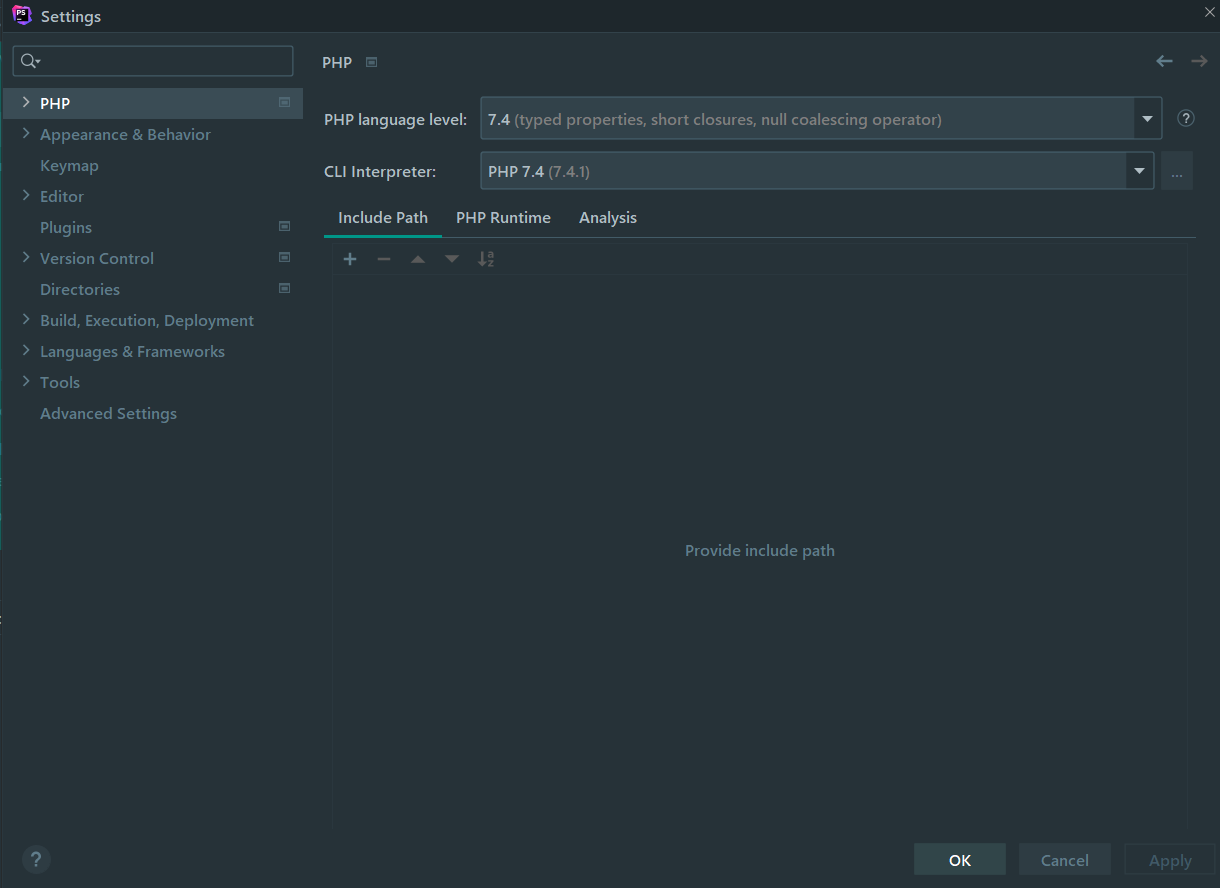
PHP language level'imizi seçtikten sonra kullanılacak sürüm özelinde CLI Interperter'ı seçiyoruz. Bu işlem için CLI Interperter'ın sağ tarafında bulunan üç noktaya tıklayarak "..." php.exe dosyasının konumunu seçelim.
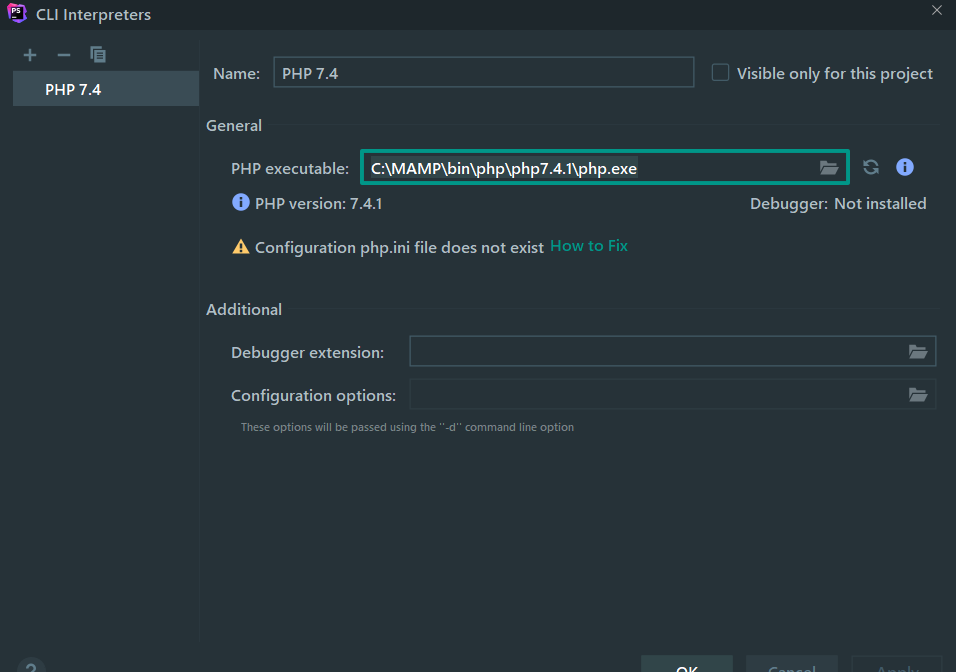
Apply ve OK diyerek değişikliği kayıt edelim.
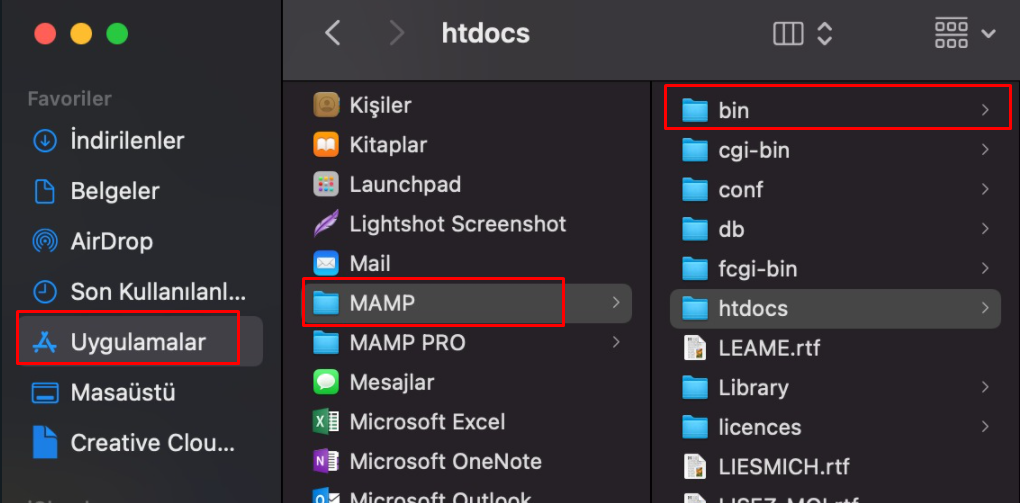
macOS işletim sistemleri için dosya yolu
Uygulamalar > MAMP > bin > php
Lesson discussion
Swap insights and ask questions about PHP Temel
Be the first to start the discussion
Ask a question or share your thoughts about this lesson.